
Draft relevant replies
Turn the current conversation and a short instruction into a clear, client-ready response.
See the workflowAI communication for independent professionals
Understand the client. Write the right reply. Keep the conversation moving.
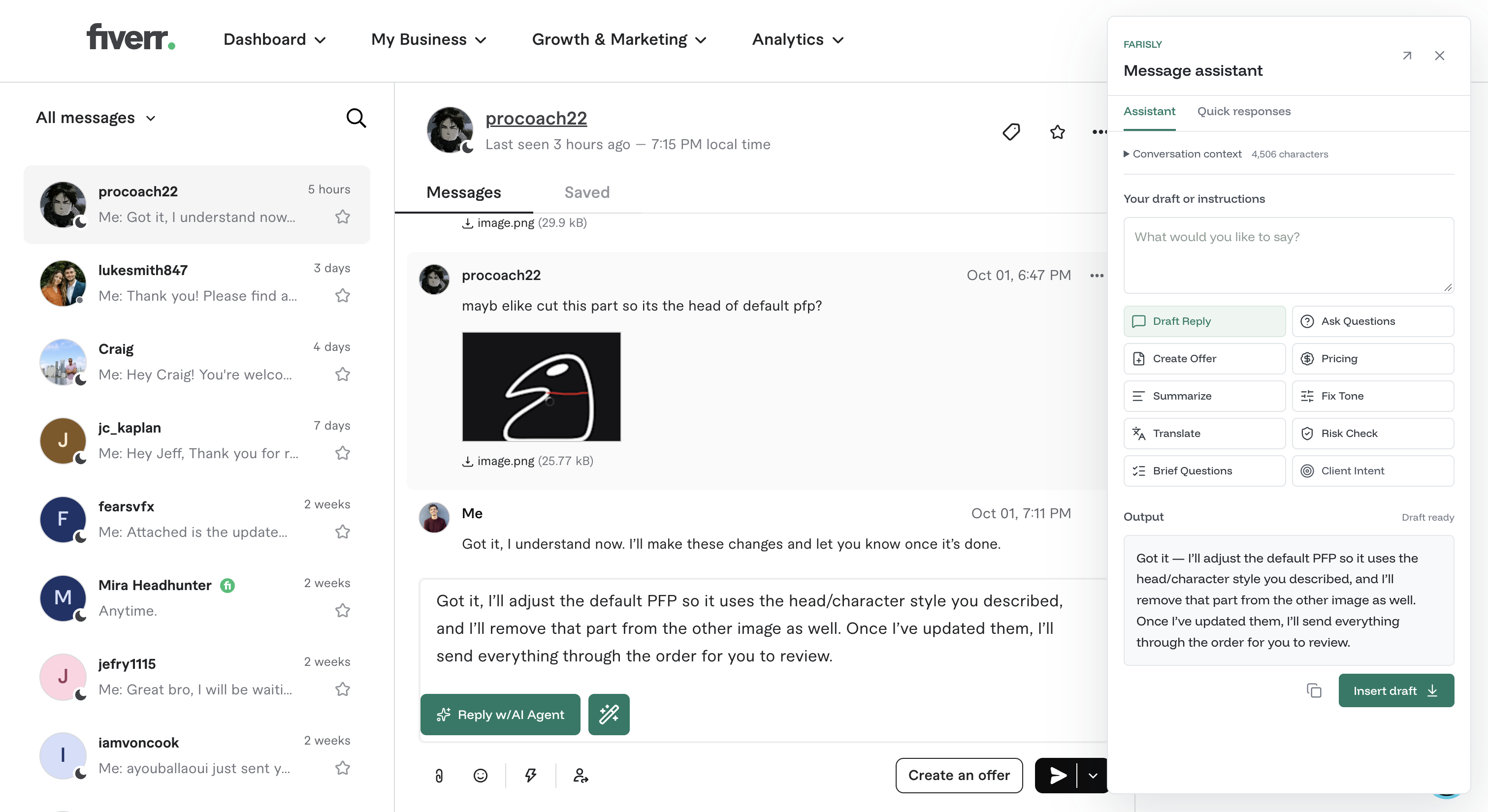
A better way to handle client messages
Farisly works beside the conversation, so every draft starts with the client’s actual request instead of a blank prompt.
Turn the current conversation and a short instruction into a clear, client-ready response.
See the workflowSummarize long threads, reveal client intent, and find questions that still need an answer.
Explore featuresFix grammar, translate, change tone, add detail, or make a reply easier to scan.
Explore writing tools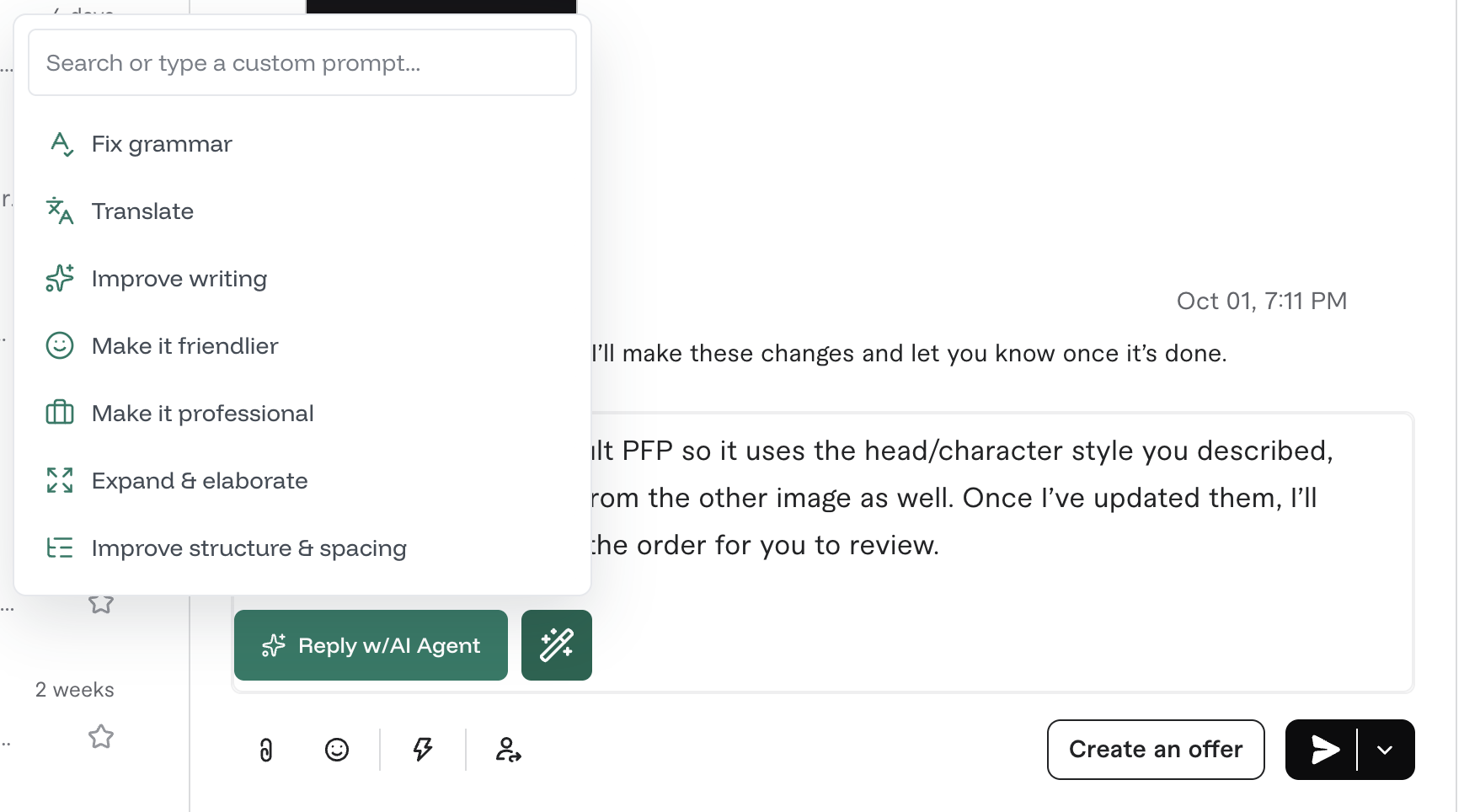
Writing tools inside the reply box
Use a focused action or type your own instruction. Farisly improves the text you already wrote while preserving its meaning.
More than a reply generator
From the first question to the final offer, Farisly helps you respond with more clarity and fewer missed details.
Start with FarislyIdentify missing requirements before you price or promise the work.
Shape a clear offer around scope, pricing guidance, and delivery expectations.
Spot unclear scope, difficult deadlines, revision issues, and unsafe requests.
Keep your business knowledge and quick responses ready for common situations.
A simple Chrome extension workflow
Launch the assistant from the Fiverr or Upwork conversation you are handling.
Draft, summarize, translate, improve tone, check risk, or prepare an offer.
Edit anything you want, then place the final response into the reply box.
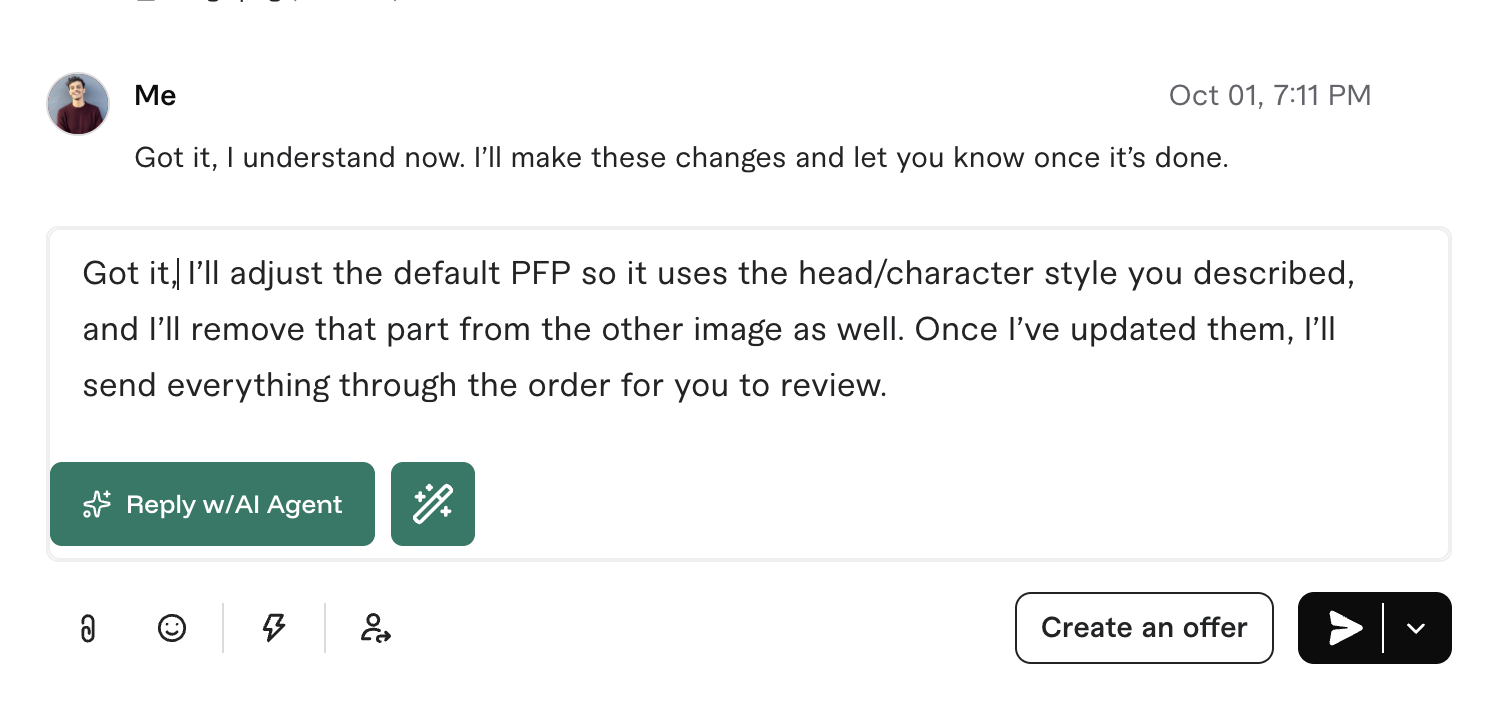
Farisly never sends for you. Every result remains a draft until you choose what happens next.
Your business stays yours
Set the tone, greeting, sign-off, and service details that should shape your replies.
CommunicationGuide pricing, revisions, safety, scope, and quoting from one workspace.
Business knowledgeReview, edit, copy, or insert. Nothing is sent automatically.
Human approvalFrequently asked questions
Farisly is designed to make freelance communication simpler without taking control away from you.
No. Farisly prepares text for review. You decide whether to edit, insert, or send every message.
No. The AI connection is managed by Farisly, so regular users never need to configure or expose an API key.
Farisly is designed for Fiverr and Upwork conversations in Chrome.
Yes. Your workspace can store service details, voice preferences, pricing rules, instructions, quick responses, and reusable knowledge.
Yes. After connecting the extension, your session remains available without keeping the dashboard tab open.
Farisly support
Include the marketplace, your Chrome version, your Farisly extension version, and what you expected to happen.
Email supportsupport@farisly.comYour message opens in your email app. This page does not silently collect or transmit it.
Your next reply can be easier